
Data editing workflows
Guide users through configured editing or update steps for spatial and operational data.
Workflow
Workflow support for repeatable operational steps within StatMap's browser-based spatial software platform, where configured for the service.
eVO Flows is a workflow capability within StatMap's eVO platform. It can support repeatable operational steps where a team needs a clearer route through a task, review or data process.
Flows should be configured around the service, users and data involved. The aim is to help teams follow agreed steps, reduce avoidable hand-offs and make workflow progress easier to understand.
Guide users through configured editing or update steps for spatial and operational data.
Support review, validation and approval steps where data quality processes are required.
Help teams follow repeatable tasks connected to cases, maps, documents or service records.
Create clearer routes for checking work before changes are accepted or moved forward.
Help teams apply agreed processes in a more consistent way.
Support workflow status and task visibility where configured.
eVO Flows sits alongside Earthlight and the wider eVO platform. It can help turn map-led tasks and operational processes into guided workflows where that is appropriate for the service.
For some projects, a configured workflow is more useful than a general GIS screen. For others, ordinary map, data and reporting tools may be enough. The right approach should be agreed during implementation.
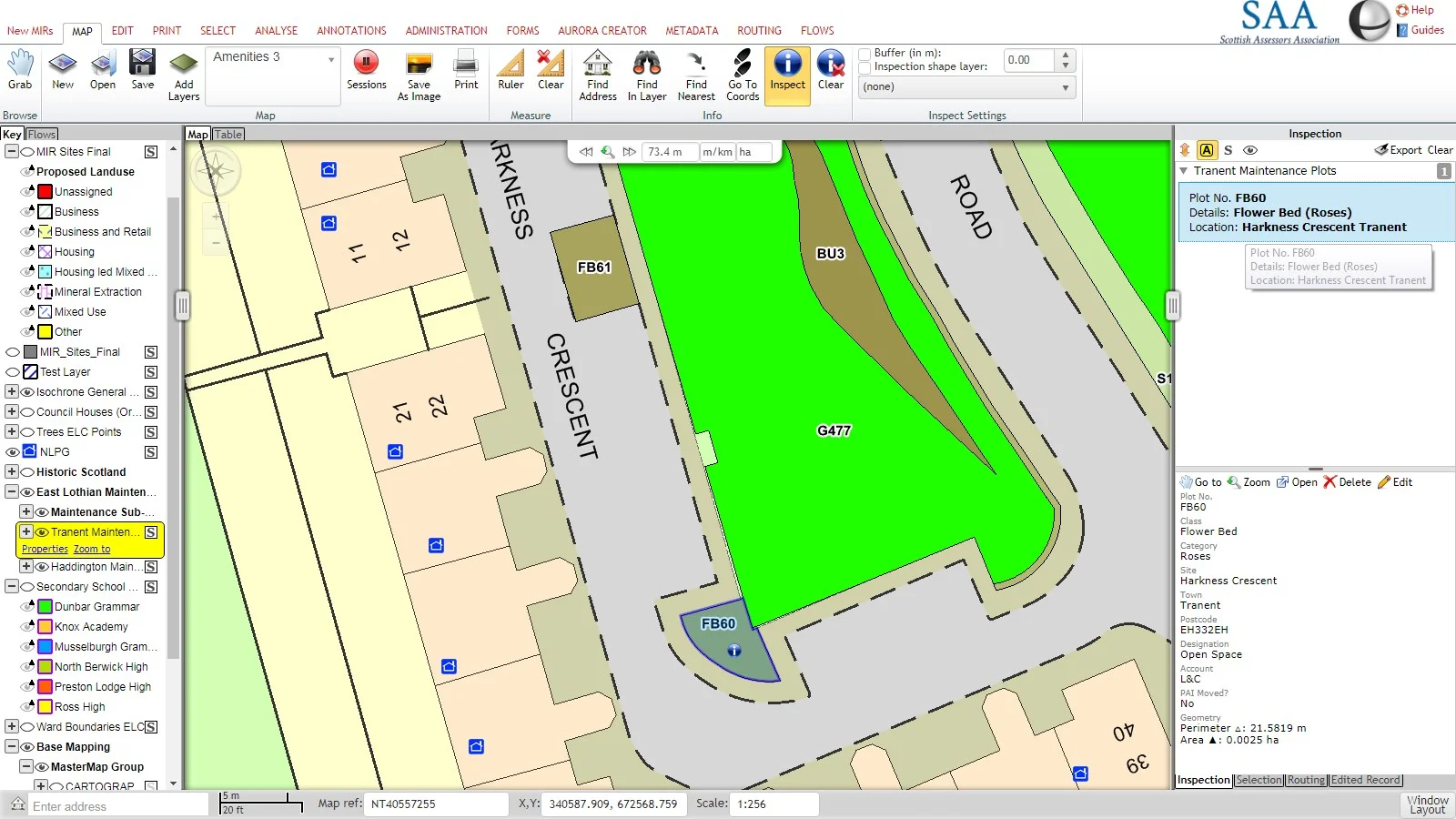
Guide users through checking, editing and submitting spatial data changes.
Support review and approval steps before a data update is accepted.
Help users follow configured tasks around records, documents, maps or service milestones.
Create repeatable steps for routine checks where the authority wants a more structured process.
Short demonstrations of map-led flows, find-nearest workflows, instant record creation, redirects and email steps.
Talk to StatMap if you need guided workflow steps around GIS, data editing, case tasks, quality checks or operational review.